

 Veilig en eenvoudig betalen
 Knowledge Center
Tekst naar Spraak (TTS)

In dit onderwerp wil ik jullie laten zien hoe je eenvoudig lokaal Text-to-Speech (TTS) kunt draaien met Piper. Piper is een snelle en lichte offline TTS-engine waarmee je tekst kunt omzetten naar natuurlijke spraak, zonder afhankelijk te zijn van cloudservices of externe API’s.
We bekijken hoe je Piper installeert, waar je de juiste ONNX stemmodellen kunt downloaden, welke bestanden je precies nodig hebt (.onnx en .onnx.json), en hoe je via de commandline direct tekst kunt laten uitspreken of opslaan als audiobestand.
Omdat Piper volledig lokaal draait, is het ideaal voor Home Assistant, lokale AI-projecten, Raspberry Pi toepassingen en privacyvriendelijke automatisering zonder internetverbinding.
Piper #

Piper is a fast, local neural text-to-speech (TTS) system developed by the Rhasspy team. Optimized for devices like the Raspberry Pi 4, Piper enables high-quality speech synthesis without relying on cloud services, making it ideal for privacy-conscious applications. It utilizes ONNX models trained with VITS to deliver natural-sounding voices across various languages and accents. Piper is particularly suited for offline voice assistants and embedded systems.
Piper modellen #
Je hebt een .onnx + .json nodig, bijvoorbeeld:
nl_BE-nathalie-medium.onnxnl_BE-nathalie-medium.onnx.json
nl_BE-nathalie-medium.onnx
→ Dit is het echte AI stemmodel
→ Bevat de neurale netwerk-gewichten (de “hersenen” van de stem)
→ Vaak tientallen MB groot (bijv. 50–70 MB)
nl_BE-nathalie-medium.onnx.json
→ Dit is de configuratie van het model
→ Bevat instellingen zoals:
– sample_rate
– phoneme mapping
– speaker info
– inference settings
– espeak voice
– noise_scale / length_scale
→ Meestal klein bestand (enkele KB)
Kort gezegd:
.onnx = de stem zelf
.onnx.json = hoe Piper die stem moet gebruiken
| Tier | Grootte | Betekenis |
|---|---|---|
| x_low | ~20MB | klein / snel |
| medium | ~63MB | standaard |
| high | ~100MB+ | hogere kwaliteit |
Piper modellen in veel talen staan op huggingface: https://huggingface.co/rhasspy/piper-voices/tree/main
Extra tip voor Nederlands
Veel mensen merken dat nl_NL stemmen minder goed klinken, terwijl nl_BE stemmen zoals Nathalie en rdh juist erg goed zijn. Zelfs Home Assistant users noemen deze vaak de beste keuze.
Bijvoorbeeld “nathalie”: https://huggingface.co/rhasspy/piper-voices/tree/main/nl/nl_BE/nathalie/medium
Plaats deze bestanden in de werkfolder van python of binairy piper
Piper – Python #
Installeer piper voor python met het commando:
pip install piper-ttsvoorbeeld output:
Collecting piper-tts
  Downloading piper_tts-1.4.2-cp39-abi3-win_amd64.whl.metadata (2.4 kB)
Collecting onnxruntime<2,>=1 (from piper-tts)
  Downloading onnxruntime-1.24.4-cp311-cp311-win_amd64.whl.metadata (5.4 kB)
Collecting pathvalidate<4,>=3 (from piper-tts)
  Downloading pathvalidate-3.3.1-py3-none-any.whl.metadata (12 kB)
Requirement already satisfied: flatbuffers in C:\Python311\Lib\site-packages (from onnxruntime<2,>=1->piper-tts) (25.12.19)
Requirement already satisfied: numpy>=1.21.6 in C:\Python311\Lib\site-packages (from onnxruntime<2,>=1->piper-tts) (2.4.4)
Requirement already satisfied: packaging in C:\Python311\Lib\site-packages (from onnxruntime<2,>=1->piper-tts) (26.0)
Requirement already satisfied: protobuf in C:\Python311\Lib\site-packages (from onnxruntime<2,>=1->piper-tts) (7.34.1)
Requirement already satisfied: sympy in C:\Python311\Lib\site-packages (from onnxruntime<2,>=1->piper-tts) (1.14.0)
Requirement already satisfied: mpmath<1.4,>=1.1.0 in C:\Python311\Lib\site-packages (from sympy->onnxruntime<2,>=1->piper-tts) (1.3.0)
Downloading piper_tts-1.4.2-cp39-abi3-win_amd64.whl (13.8 MB)
   ━━━━━━━━━━━━━━━━━━━━━━━━━━━━━━━━━━━━━━━━ 13.8/13.8 MB 10.2 MB/s  0:00:01
Downloading onnxruntime-1.24.4-cp311-cp311-win_amd64.whl (12.6 MB)
   ━━━━━━━━━━━━━━━━━━━━━━━━━━━━━━━━━━━━━━━━ 12.6/12.6 MB 19.2 MB/s  0:00:00
Downloading pathvalidate-3.3.1-py3-none-any.whl (24 kB)
Installing collected packages: pathvalidate, onnxruntime, piper-tts
Successfully installed onnxruntime-1.24.4 pathvalidate-3.3.1 piper-tts-1.4.2
Om nu een WAV audio bestand te maken van een stukje tekst, gebruik het volgende python script:
from piper import PiperVoice
import wave

voice = PiperVoice.load("nl_BE-nathalie-medium.onnx")

with wave.open("output.wav", "wb") as wav_file:
    voice.synthesize_wav("Praat Nederlands met me!", wav_file)
Piper – Binairy (Windows) #
Er is ook een handige binairy .exe bestand dat je meteen kan gebruiken zonder python
Pak alle bestanden van het ZIP bestand uit in een folder en je vind piper.exe, je kan nu de onnx en json bestanden van de modellen in dezelfde folder plaatsen.
WAV bestand
Om een WAV audiobestand aan te maken, gebruik het volgende commando:
echo "Praat Nederlands met me!" | piper.exe --model nl_BE-nathalie-medium.onnx --output_file praten.wavVoorbeeld output:
[piper] [info] Loaded voice in 0.1859717 second(s)
[piper] [info] Initialized piper
praten.wav
[piper] [info] Real-time factor: 0.04697902575476695 (infer=0.0643602 sec, audio=1.3699773242630386 sec)
[piper] [info] Terminated piper
Direct afspelen
Om direct audio te kunnen afspelen via je speakers, kan je audio RAW met een PIPE doorzetten naar ffplay (ffmpeg pakket), voorbeeld:
echo "Praat Nederlands met me!" | piper.exe --model nl_BE-nathalie-medium.onnx --output_raw | ffplay -autoexit -nodisp -f s16le -ar 22050 -wat betekenen die commandolijn parameters?
--output_raw → geen WAV header, pure PCM
-f s16le → 16-bit audio
-ar 22050 → sample rate (BELANGRIJK, moet matchen model!)
-ac 1 → mono
- → stdin stream
Sample rate check (belangrijk!)
In de .json model file staat: “sample_rate”: 22050, gebruik die waarde in ffplay.
Voorbeeld output:
[piper] [info] Loaded voice in 0.1906117 second(s)
[piper] [info] Initialized piper
[piper] [info] Waiting for audio to finish playing...
[piper] [info] Real-time factor: 0.04386062567934782 (infer=0.0585604 sec, audio=1.3351473922902495 sec)
[piper] [info] Terminated piper
Input #0, s16le, from 'fd:':aq=    0KB vq=    0KB sq=    0B
  Duration: N/A, bitrate: 352 kb/s
  Stream #0:0: Audio: pcm_s16le, 22050 Hz, mono, s16, 352 kb/s
   1.64 M-A:  0.000 fd=   0 aq=    0KB vq=    0KB sq=    0B
Piper ONNX Voice models #
Waarom bijna alle modellen ~63MB zijn?
Dat komt NIET door de trainingsdata, maar door de architectuur van het model
Piper = VITS model
Piper gebruikt een vaste neural net structuur:
- encoder
- decoder
- vocoder
en die heeft een vaste grootte (aantal parameters)
| Factor | Invloed op bestandsgrootte |
|---|---|
| Trainingsdata (10 min vs 100 uur) | ❌ bijna geen |
| Model architectuur | ✅ bepaalt grootte |
| Quantization | ✅ kan kleiner maken |
| Precision (fp32 / fp16 / int8) | ✅ |
Simpel gezegd
Trainingsdata bepaalt:
- kwaliteit
- stemgeluid
Architectuur bepaalt:
- bestandsgrootte
Een model van 63MB kan getraind zijn op:
- 10 minuten audio
- of 100 uur audio
zelfde grootte!
Bekende en leuke voice modellen gevonden op het internet.
GLaDOS (Portal) #

Dit is GLaDOS, de centrale kunstmatige intelligentie uit de Portal-videogameserie.
Download: https://huggingface.co/rokeya71/VITS-Piper-GlaDOS-en-onnx/tree/main
Voorbeeld:
echo "it seems the cake was a lie afterall!" | piper.exe --model glados.onnx --output_raw | ffplay -autoexit -nodisp -f s16le -ar 22050 -J.A.R.V.I.S. (Marvel) #

J.A.R.V.I.S is bekend als het fictieve, uiterst intelligente AI-systeem van Tony Stark in het Marvel Cinematic Universe
Download: https://huggingface.co/jgkawell/jarvis/tree/main/en/en_GB/jarvis/high
Voorbeeld:
echo "I am JARVIS from Stark Industries, nice to meet you! what can i do for you?" | piper.exe --model jarvis-high.onnx --output_raw | ffplay -autoexit -nodisp -f s16le -ar 22050 -BT-7274 (TITANFALL2) #
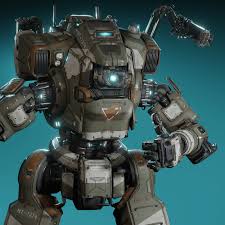
BT-7274 is the deuteragonist of Titanfall 2’s single-player campaign, serving as Jack Cooper’s right hand and protector.
Download: https://github.com/DJMalachite/PiperVoiceModels/tree/main/Titanfall2/BT7274
Voorbeeld:
echo "Protocol one: link to Pilot. Protocol two: uphold the mission. Protocol three: protect the Pilot." | piper.exe --model BT7274.onnx --output_raw | ffplay -autoexit -nodisp -f s16le -ar 22050 -SCORCH (TITANFALL2) #

Scorch is a heavy-chassis Titan in Titanfall 2 specializing in area denial and close-range burst damage using fire-based abilities.
Download: https://github.com/DJMalachite/PiperVoiceModels/tree/main/Titanfall2/ScorchAI
Voorbeeld:
echo "If brute force isn’t working, you aren’t using enough of it!" | piper.exe --model ScorchAI.onnx --output_raw | ffplay -autoexit -nodisp -f s16le -ar 22050 -HAL9000 (Space Odyssey) #

HAL 9000 is een fictieve computer met kunstmatige intelligentie uit de Space Odyssey-reeks. Het personage maakte zijn debuut in de film 2001: A Space Odyssey
Download: https://huggingface.co/campwill/HAL-9000-Piper-TTS/tree/main
Download denoised: https://github.com/dividebysandwich/piper-voice-models/tree/main/HAL9000-denoised
Voorbeeld:
echo "I am putting myself to the fullest possible use, which is all I think that any conscious entity can ever hope to do." | piper.exe --model hal.onnx --output_raw | ffplay -autoexit -nodisp -f s16le -ar 22050 -Commander DATA (Startrek TNG) #
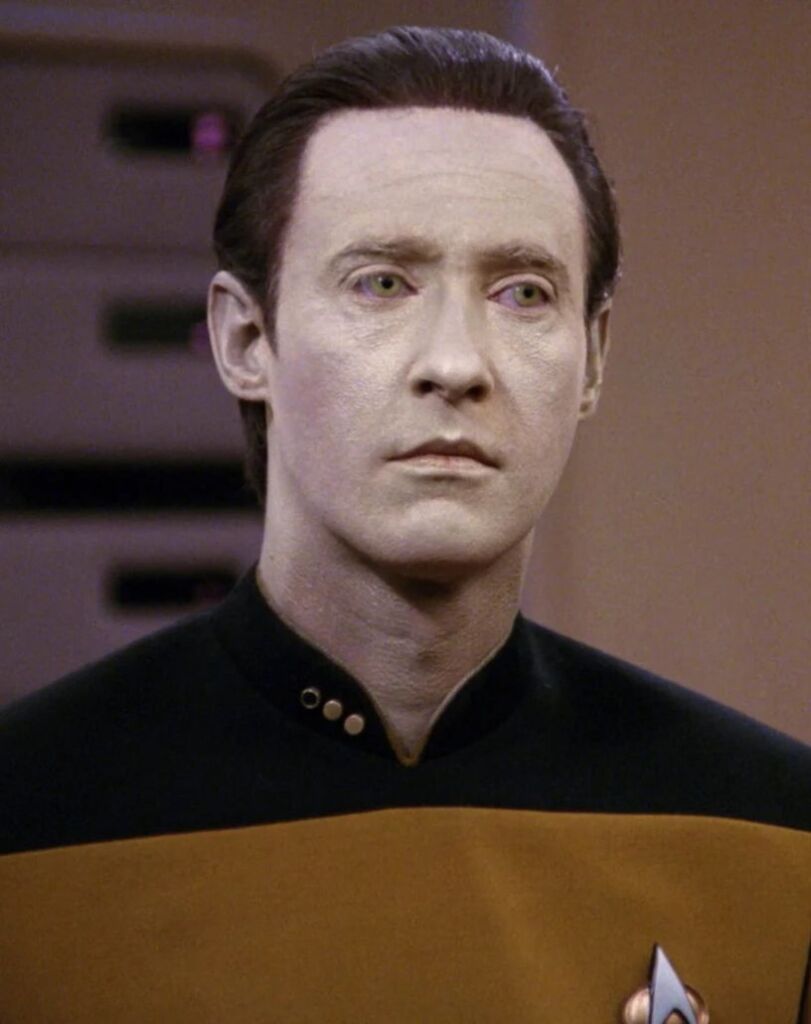
Data was een androïde van het Soong-type. Gedurende het grootste gedeelte van zijn bestaan was hij officier van Starfleet, een belangrijk deel daarvan aan boord van de USS Enterprise-D en USS Enterprise-E.
Download: https://github.com/dividebysandwich/piper-voice-models/tree/main/Data
Voorbeeld:
echo "Commander Riker's easy-going manner and sense of humor is fascinating to me. I believe it to be one reason he is so popular among the crew." | piper.exe --model en_US-data_7024-medium.onnx --output_raw | ffplay -autoexit -nodisp -f s16le -ar 22050 -Optimus prime (Transformers) #

Optimus Prime is een personage uit het Transformersuniversum. Hij is daarin de aanvoerder van de Autobots, een groep robots van de planeet Cybertron.
Download: https://github.com/biofects/piper-voice/releases/tag/v1.0.0
Dataset: https://huggingface.co/datasets/srinivasbilla/optimus_prime_voicelines_hf
Voorbeeld:
echo "Freedom is the right of all sentient beings!" | piper.exe --model biofects_prime.onnx --output_raw | ffplay -autoexit -nodisp -f s16le -ar 22050 -The Overwatch Voice #

The Overwatch Voice (or Dispatch) is a Combine AI system in Half-Life 2, voiced by Ellen McLain. It uses a flat, clinical female voice to issue announcements, communicate with Combine patrols, and describe resistance activities using medical euphemisms. It acts as a public address system in City 17 and other Combine-controlled areas.
Download: https://github.com/robit-man/combine_overwatch_onnx/tree/main
Voorbeeld:
echo "If a city never sleeps, how can it dream" | piper.exe --model overwatch.onnx --output_raw | ffplay -autoexit -nodisp -f s16le -ar 22050 -LCARS Federation Computer (Star Trek) #
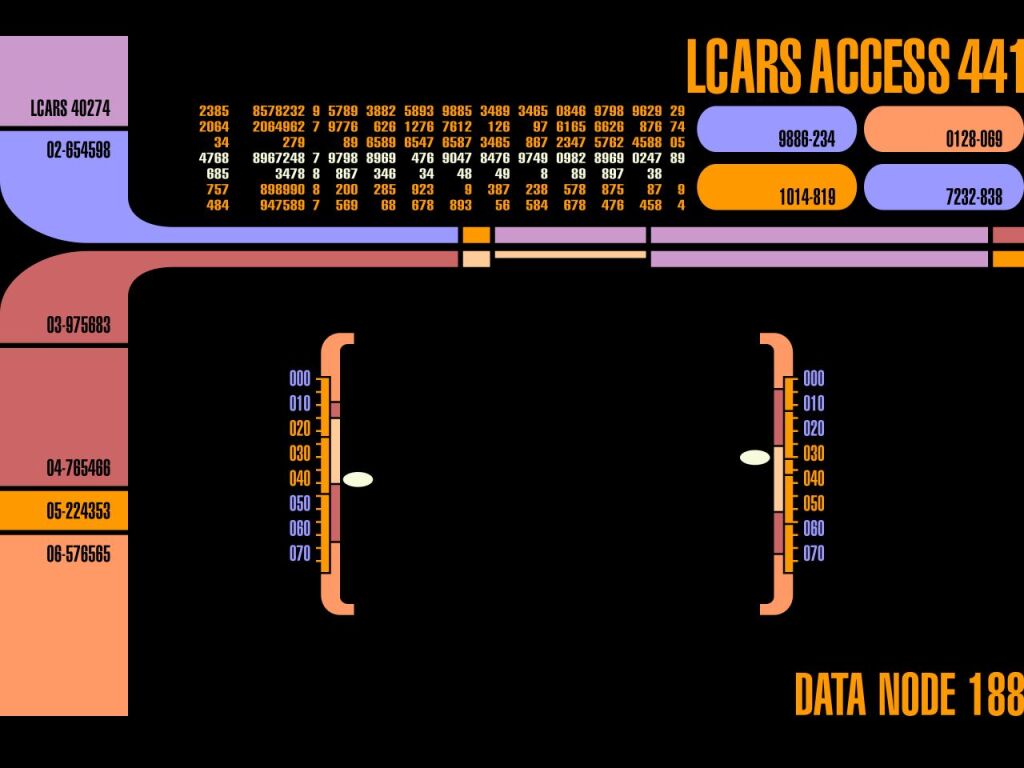
The primary computer system used by the United Federation of Planets during the Star Trek: The Next Generation (TNG) era is the Library Computer Access and Retrieval System, commonly known by its acronym LCARS.
Download #1: https://github.com/sparky-vision/fedcomp
Download #2: https://www.dropbox.com/scl/fi/41pvyoo9lvpie2kabky4x/fedcomp.7z?rlkey=85twwxj7rrq34c1u5x5ew585r&st=hfvjg42o&dl=0
Voorbeeld:
echo "RED ALERT, RED ALERT, Captain, we a re under attack by an unknown vessel, please report to the bridge!" | piper.exe --model en_US-fedcomp-medium.onnx --output_raw | ffplay -autoexit -nodisp -f s16le -ar 22050 -Rocket Raccoon (Marvel) #

Subject 89P13 is a raccoon who was genetically and cybernetically modified by High Evolutionary, giving him enhanced intelligence and the ability to speak. Naming himself Rocket,
Voorbeeld:
echo "I live for the simple things... like how much this is gonna hurt" | piper.exe --model rocket_racoon.onnx --output_raw | ffplay -autoexit -nodisp -f s16le -ar 22050 -BMO (Cartoon) #

BMO is a beloved, sentient, portable video game console and multifunctional robot from the Cartoon Network series Adventure Time. Created by Moe Mastro Giovanni, BMO acts as a loyal friend, camera, alarm clock, and video player to main characters Finn and Jake. Voiced by Niki Yang, BMO is known for its sweet, high-pitched voice.
Download: https://github.com/1liminal1/xiaozhi-esphome/tree/main/piper-voices
Voorbeeld:
echo "Oh nothing, just wanted to say I love you." | piper.exe --model en_US-bmo_voice.onnx --output_raw | ffplay -autoexit -nodisp -f s16le -ar 22050 -
https://www.youtube.com/watch?v=JMRFHSypbOY
K9 (Docter Who) #
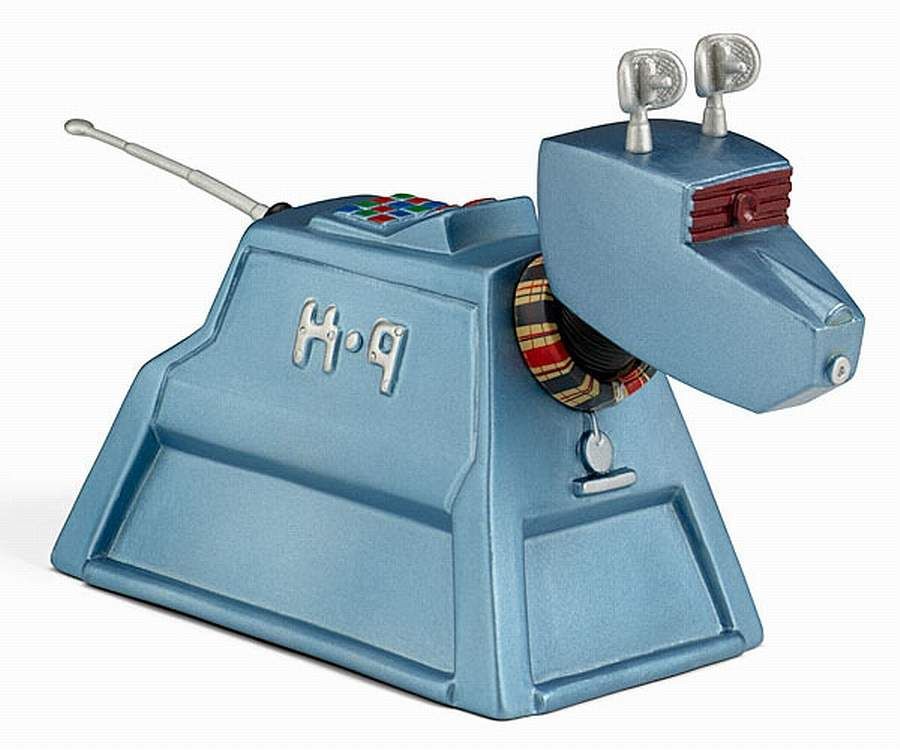
K9, occasionally written K-9, is the name of several fictional robotic canines (dogs, the name being a pun on the pronunciation of “canine”) in the long-running British science fiction television series Doctor Who, first appearing in 1977.
Download: https://github.com/hopkira/k9_piper_voice
Voorbeeld:
echo "Master i cannot appear in this episode, the floors are uneven" | piper.exe --model k9_model.onnx --output_raw | ffplay -autoexit -nodisp -f s16le -ar 22050 -VASCO (Starfield) #

Vasco is a Lunar Robotics Model A robot owned by Constellation.[2] He is the first available companion for the player character, and will guide the player through the introductory mission One Small Step, during which the player is restricted to “Protocol Indigo” and cannot travel to any location other than those Vasco has deemed necessary.
Download: https://huggingface.co/poisson-fish/piper-vasco
Voorbeeld:
echo "Did you take into account the local gravity before you did that?" | piper.exe --model vasco.onnx --output_raw | ffplay -autoexit -nodisp -f s16le -ar 22050 -Meer modellen #
https://github.com/simoniz0r/piper-voice-models
https://brycebeattie.com/files/tts
https://community.home-assistant.io/t/collections-of-pre-trained-piper-voices/915666
WANTED:
- Ultron (Marvel movie)
- Johnny No. 5 (Short Circuit movie)
- K.I.T.T. (Knightrider)
- DALEK (Doctor who)
- TARS (Interstellar movie)
- TNG startrek computer (Majel Barret)
- Johnny Depp